Get in touch
How AI Can Understand Software Without Source Code
REA: Reverse Engineer Anything – How AI Can Understand Software Without Source Code
Artificial intelligence is changing the way software is developed. AI coding assistants can now write code, fix bugs, generate applications, and help developers build complex systems faster than ever before.
But there is another interesting challenge in software development: understanding how existing applications actually work.
What happens when you discover a feature in an application that you would like to implement in your own project, but you don't have access to its original source code?
How can you investigate its internal logic, understand its architecture, and reproduce similar functionality?
This is where REA (Reverse Engineer Anything) comes in.
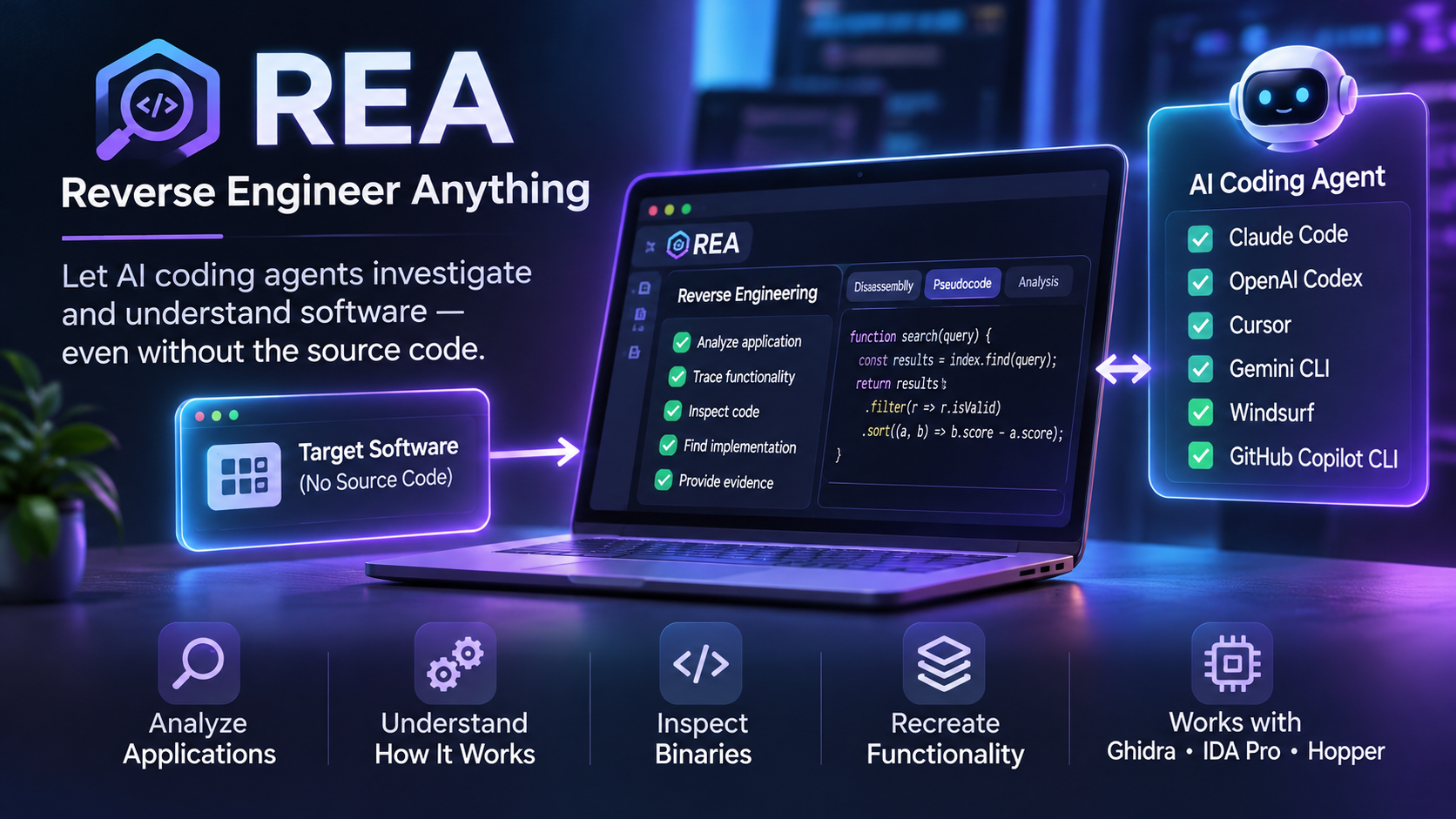
REA is an open-source project that connects AI coding agents to reverse-engineering tools, allowing them to inspect applications, analyze binaries, trace functionality, and understand how software works — even when the original source code is unavailable.
Let's explore what REA is, how it works, and why it is an interesting development in AI-assisted software engineering.
1. What Is REA?
REA stands for Reverse Engineer Anything.
It is an open-source MCP (Model Context Protocol) server and command-line interface (CLI) designed to connect AI agents with software reverse-engineering tools.
Instead of manually analyzing every component of an application, developers can ask an AI coding agent to investigate a specific feature and use REA to collect the technical information needed to understand it.
For example, imagine you are using a desktop application and discover a search feature that works particularly well.
You want to understand how it works and build something similar in your own application.
With REA, you can ask your AI agent to investigate that functionality, trace the relevant code, examine its implementation, and explain the findings.
The agent can then use that information to help you build an independent implementation.
In simple terms, REA helps AI agents move beyond writing code and start investigating how existing software is built.
2. How Does REA Work?
REA uses MCP to communicate with AI agents.
MCP, or Model Context Protocol, allows AI applications to connect to external tools and services.
REA acts as a bridge between an AI coding assistant and specialized reverse-engineering tools.
The general workflow looks like this:
Step 1 – Choose an application
You provide the application, binary, website, or other software artifact you want to investigate.
Step 2 – Ask your AI agent a question
You describe what you want to understand.
For example:
“Investigate how the search functionality works in this application. Show me the evidence and explain the implementation.”
Step 3 – REA investigates the software
The agent uses REA tools to inspect the application, identify relevant components, trace relationships, and retrieve technical information.
Step 4 – Analyze the findings
REA returns structured evidence that the AI agent can interpret.
This can include pseudocode, assembly instructions, symbols, strings, function relationships, and other technical details.
Step 5 – Build something similar
Once the functionality is understood, your AI coding assistant can help implement a similar feature in your own project.
The important distinction is that REA provides the investigation capabilities, while the AI coding agent interprets the results and helps write the new implementation.
3. What Technologies Does REA Support?
One of REA's interesting characteristics is that it can work with different types of software and analysis tools.
Depending on the target and available configuration, it can integrate with:
Ghidra
An open-source software reverse-engineering framework originally developed by the NSA. It provides tools for disassembly, decompilation, and binary analysis.
IDA Pro
A professional disassembler and analysis environment used by reverse engineers and security researchers.
Hopper
A reverse-engineering tool that helps developers inspect compiled applications, understand assembly instructions, and analyze program structures.
REA also includes capabilities for inspecting JavaScript and Electron applications without requiring a native decompiler.
These integrations allow developers to investigate different software formats using a more unified workflow.
4. What Can You Analyze with REA?
REA supports a broad range of software artifacts and investigation scenarios.
Some examples include:
- Native executable files and compiled binaries.
- JavaScript and Electron applications.
- .NET assemblies.
- Android APK packages.
- Websites and web applications.
- WebAssembly (WASM) artifacts.
- SQLite databases.
- Firmware and network captures.
- Application behavior and runtime processes.
The exact capabilities depend on the artifact, operating system, and additional tools installed.
For example, analyzing a native executable may require Ghidra, Hopper, or IDA, while static JavaScript analysis does not require a native reverse-engineering engine.
5. REA and AI Coding Assistants
REA becomes particularly interesting when combined with AI coding assistants.
It can work with agents that support local MCP servers, including:
- Claude Code
- OpenAI Codex
- Cursor
- Gemini CLI
- Windsurf
- GitHub Copilot CLI
This creates a different development workflow.
Traditionally, a developer would manually open a binary in a reverse-engineering tool, search for functions, inspect assembly, follow references, and document the findings.
With REA, an AI agent can coordinate many of these investigation steps.
The developer can focus on describing the problem and evaluating the results.
It doesn't eliminate the need for technical knowledge, but it can make complex investigations more accessible and organized.
6. Practical Use Cases
Where could REA be useful in real-world development?
Here are some interesting examples.
Understanding Existing Applications
You discover a useful feature in another application and want to understand its internal implementation.
REA can help trace the relevant code and provide evidence about how the feature works.
Recreating Software Features
You want to implement similar functionality in your own application.
After investigating the original behavior, your AI coding assistant can help build an independent implementation using your preferred programming language and architecture.
Software Security Research
Security researchers can use reverse-engineering tools to investigate suspicious binaries, understand program behavior, and examine potential vulnerabilities.
Software Preservation
Older applications sometimes become difficult to maintain because their original source code or documentation is missing.
Reverse engineering can help developers understand legacy software and preserve important functionality.
Debugging and Compatibility
REA can help investigate differences between software versions, trace crashes, and understand how specific components interact.
These applications make it relevant not only to developers but also to security researchers and software engineers.
7. Is REA Safe and Does It Upload Your Software?
An important aspect of REA is that its analysis runs locally on your machine.
The project does not rely on a hosted analysis service to inspect your local software.
However, there is an important distinction: your AI coding agent receives the results produced by REA, and the model provider applies its own data-handling policies.
This means that you should always consider what information is being shared with your AI provider.
You should also investigate only software you own or have explicit permission to analyze.
8. How to Get Started with REA
Getting started requires Node.js and npm.
The recommended setup process uses a single command:
npx rea-agents setup
The setup process allows you to select the AI agents you want to connect, review the proposed configuration changes, and approve them.
After setup, restart your AI coding assistant so it can discover the REA tools.
You can then give your agent an instruction such as:
Investigate how the search functionality works
in this application.
Trace the relevant code, explain the implementation,
show the evidence, and help me build a similar
feature using TypeScript.
REA will provide the investigation capabilities, while your coding agent will use the findings to explain and implement the functionality.
For deeper native binary analysis, you may also need a compatible reverse-engineering engine such as Ghidra, Hopper, or IDA.
9. What Are the Limitations of REA?
Although REA is a powerful concept, it is important to understand what it does not do.
First, reverse engineering does not automatically recover the original source code.
Decompilers can produce pseudocode and readable representations of compiled instructions, but they cannot guarantee an exact reconstruction of the original implementation.
Second, some analysis workflows require additional software and configuration.
Third, AI-generated explanations and reconstructed implementations must be verified. Evidence can help establish how a conclusion was reached, but it does not guarantee that every interpretation is correct.
REA is best understood as an investigation framework that makes reverse-engineering tools accessible to AI agents, not as a magical application-cloning tool.
10. Final Thoughts
REA represents an interesting step in the evolution of AI-assisted software development.
Until recently, understanding the internal implementation of an application without its source code required specialized knowledge and considerable manual work.
Now, projects like REA are making it possible for AI coding agents to participate in that investigation process.
The combination of reverse-engineering tools, MCP integration, and AI-powered code generation creates new possibilities for understanding existing software and building independent implementations.
What makes REA particularly interesting is the transition from simply asking AI to write code to asking AI to investigate, understand, and explain how software actually works.
The future of software development may not be limited to building applications from scratch. It may also involve using AI to understand what already exists, learn from it, and build something new.
And REA is an interesting example of that direction.
---
Useful Resources
If you want to explore REA further, here are some useful starting points:
- Official website: https://rea.tools/
- GitHub repository: https://github.com/morluto/rea
- npm package: https://www.npmjs.com/package/rea-agents
- MCP documentation: https://modelcontextprotocol.io/
Your email address will not be published. Required fields are marked *
Cookie preferences